Menu

Intranet for the Central Bohemian Research Library

How our tool for marketers serves as a functional intranet

Just as a good violinist doesn't need a Stradivarius to deliver an exceptional musical experience, a good curator can present content clearly and effectively on any platform. The key is the skill of working with content.

The contribution of a curator is most evident when they start using a chosen platform creatively for purposes that no one before them thought of. At the Central Bohemian Research Library in Kladno, they took our tool Identity Online, which was created for managing marketing content, and built a functional intranet with it.


A tool?
Just a few features, but reliable

Identity Online was created as a tool for marketers who need to tame the chaos of working with the company's presentation materials. It has proven itself as an authoritative source of templates, texts, and photos that can be flexibly organized, easily updated, and shared in a controlled manner – and above all, unlike documents in shared folders, they cannot be accidentally deleted. The added value is the ability to add accompanying information to individual documents.

The management of the Kladno library faced a slightly different but fundamentally similar situation: they needed to replace a non-functional intranet that was inadequate in terms of both structure and functionality, while also clearing up the flood of internal documents and bringing order to the way they are handled. After an extensive search among the tools available on the market, Identity Online eventually caught the attention of the library director (and, it must be admitted, our former colleague). It seemed to meet most of the requirements, and since we provide the basic version for free, he decided on a trial by fire.


A labyrinth of documents

The initial situation at the Central Bohemian Library reflected the fact that no one had looked after the storage and circulation of internal documents for a long time. A practice became established where different groups of employees managed their own folders of documents, and a portion of templates and regulations circulated via email. Murphy's law was frequently vindicated, according to which only the colleague who is currently taking a week's vacation knows the location of a vital document.
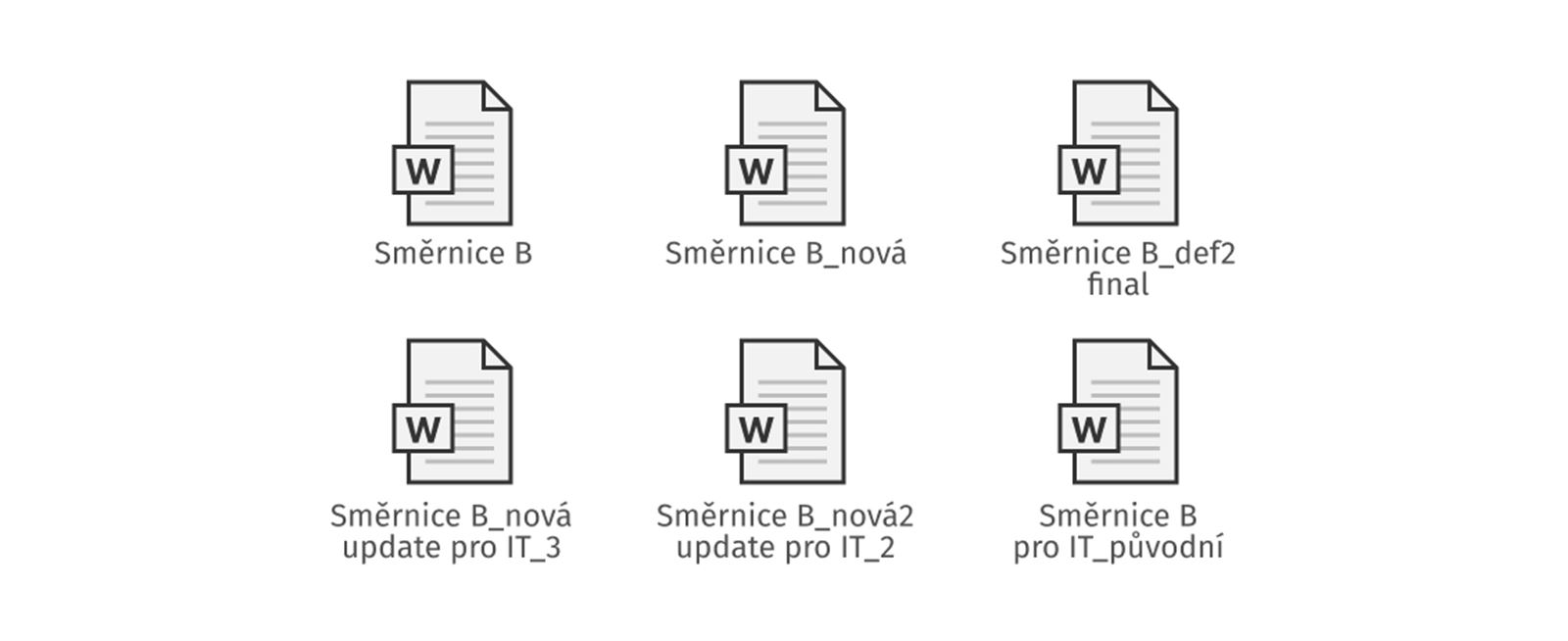
Which version is correct? This always happens in a shared folder (the image is for illustrative purposes only)

Controlled access: Everyone sees only what they are supposed to see

From the beginning, the new management viewed the intranet as the main gateway for all essential processes and agendas – a kind of informational backbone of the institution that would provide a unified environment for everyone.

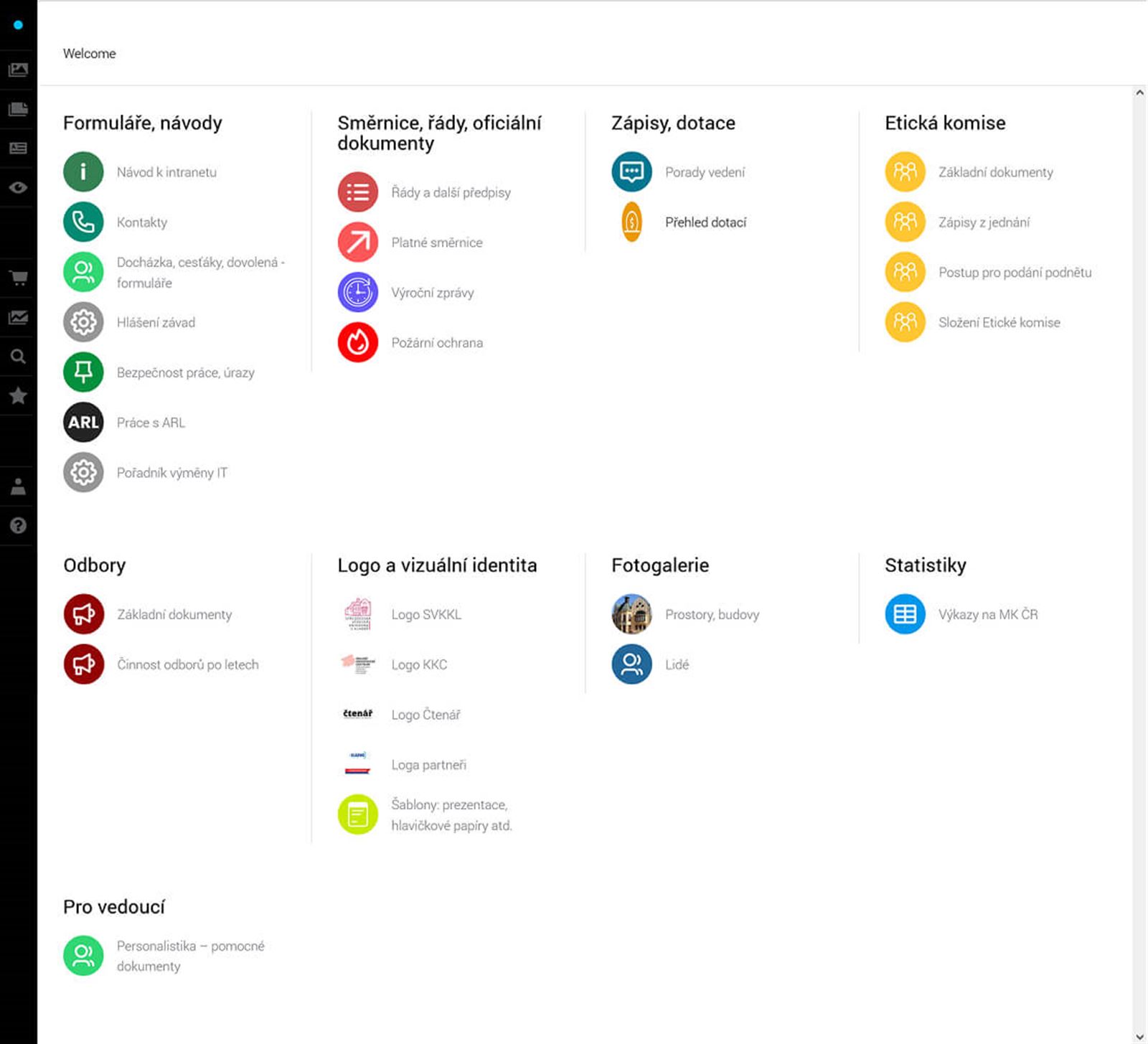
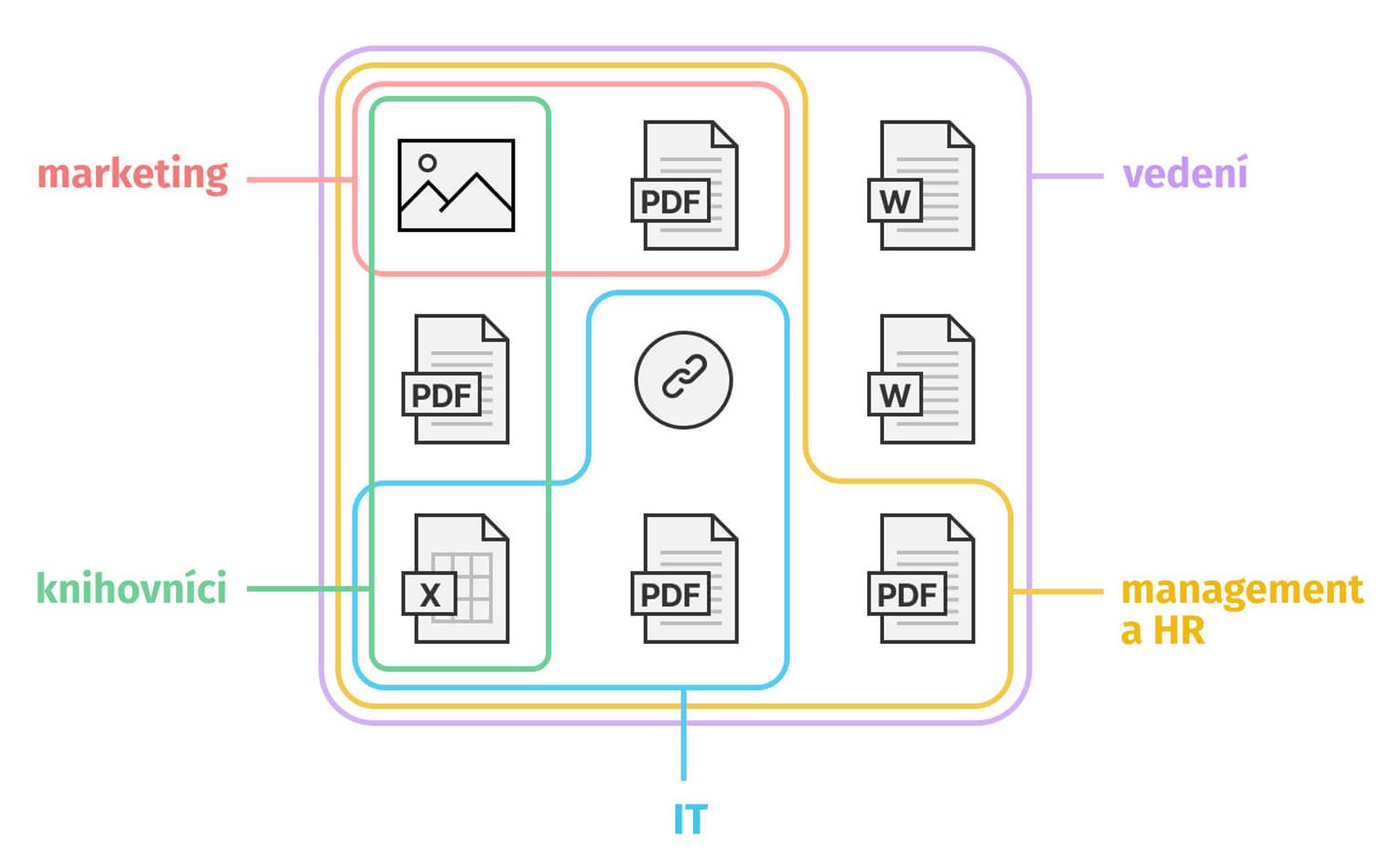
Setting up different access levels was therefore essential. Identity Online allows you to set visibility both for entire sections of the intranet, but also for groups of documents and individual documents. This allows for huge variability in how to tailor the intranet to the needs of individual groups of employees.

Managers, for example, can see sections right on the dashboard level that are hidden from others. For directives and other operational documents, in addition to the PDF version available to everyone, they also have an editable format available in Word, or related documents (contract templates, etc.) that they need to work with.

Identity Online allows you to create any number of user groups or access levels – by department, company hierarchy, or membership in work teams. In essence, each user can have a slightly different intranet depending on the tasks they perform in the library and what they need to fulfill them. The user overview page thus gives the organization's management not only an idea of who has access where, but also who manages which agendas. In case of changes – such as an employee moving to another department – just one click and they immediately have the basic knowledge base of their new workplace available.


Smart document organization: colors, tags, and a customizable dashboard

Dashboard personalized according to the needs of the library

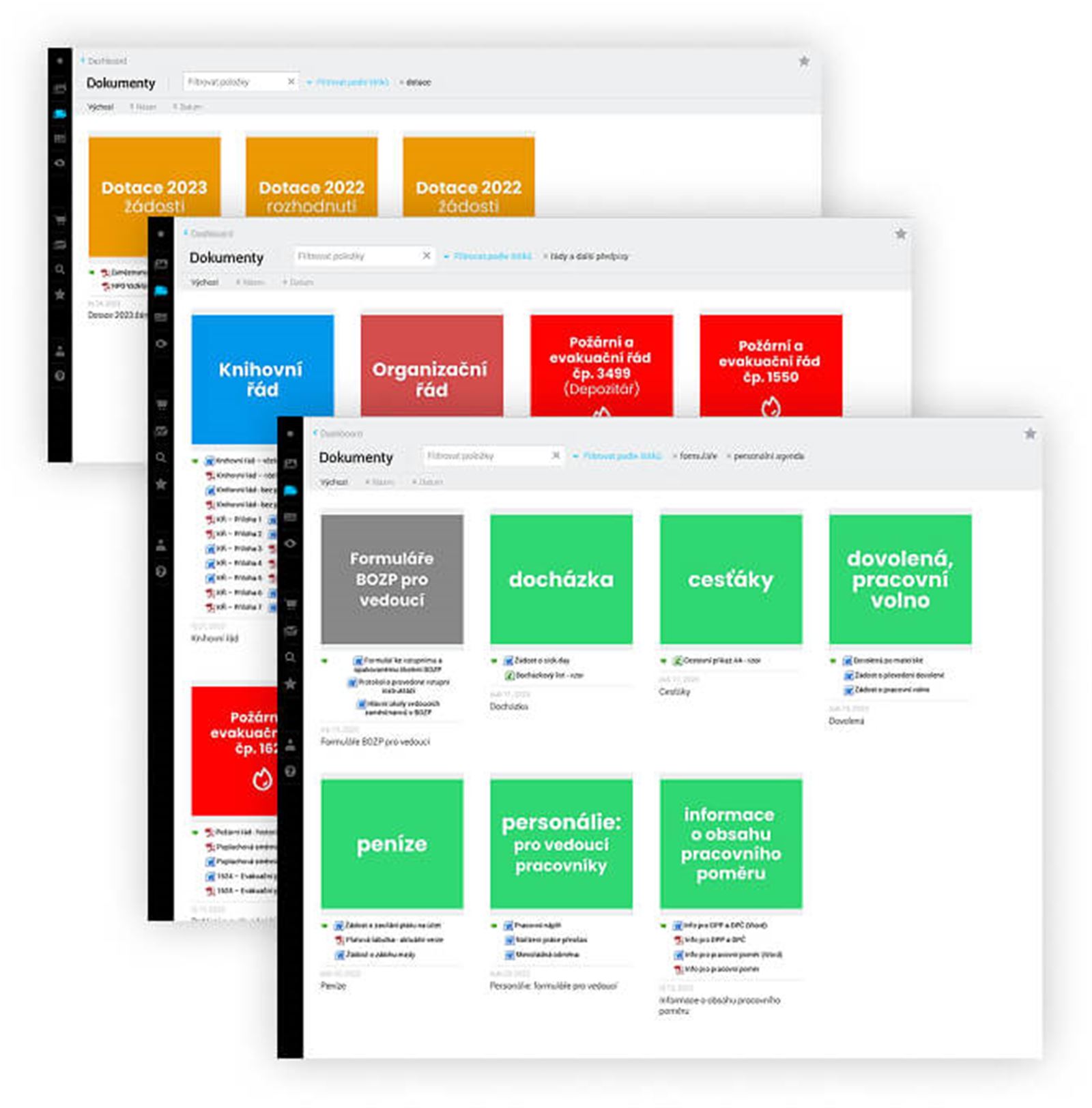
For greater clarity of the dashboard and individual document categories, the library chose a color-coding system. Documents of the same type (for example, directives, department documents, etc.) have the same color, which significantly facilitates orientation. Working with the storage is more pleasant and intuitive than with shared drives.

For greater clarity, the library chose a color-coding system

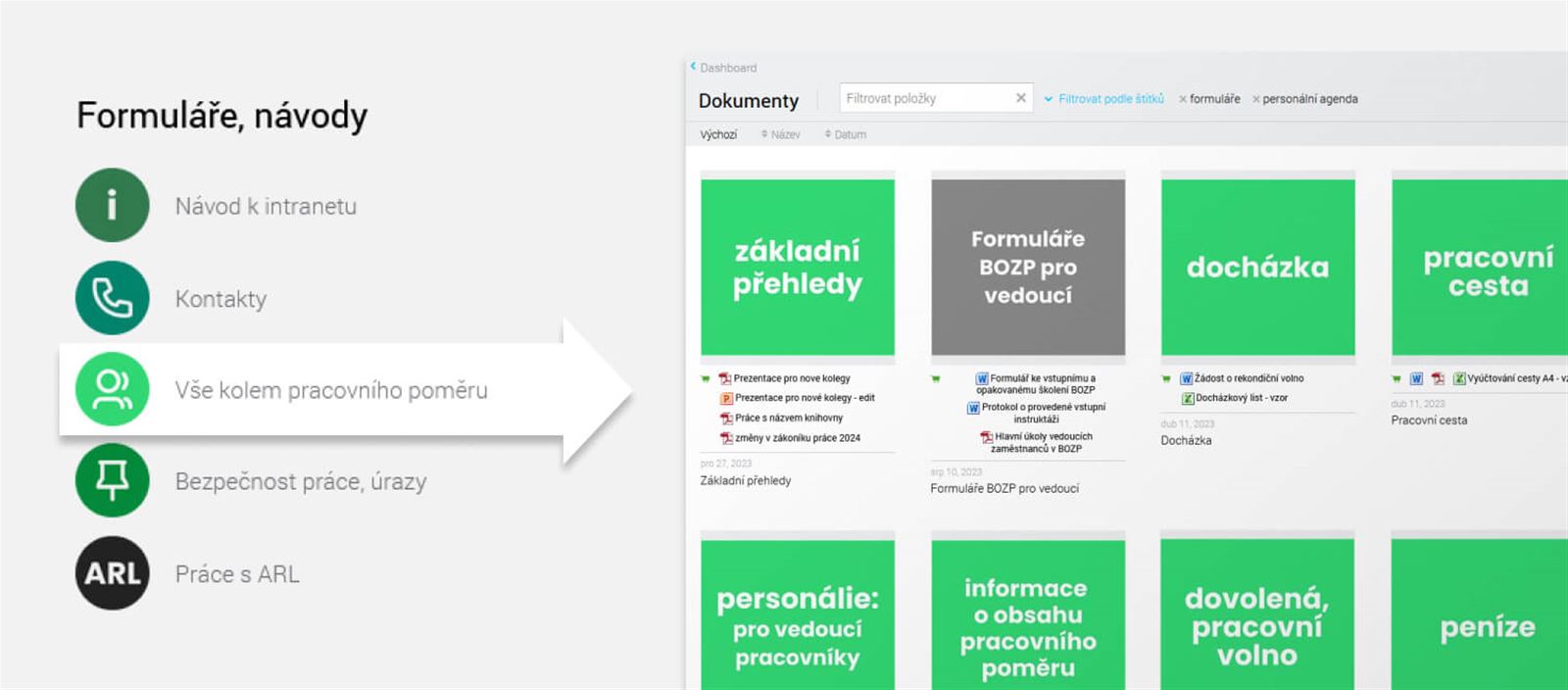
The advantage of Identity Online is also that it offers multiple ways to browse content. The basis is the dashboard, which best corresponds to the logic of the organization's operation. However, it can also be searched by content type, with orientation made easier by the ability to add various tags to documents.

Orientation is facilitated by the ability to add various tags to documents, making it simple to find the required materials

The library also utilizes the fact that the dashboard structure can be easily changed. Simply by dragging an item in the administration, the order of presented information changes immediately, allowing the intranet to respond dynamically to the life of the organization. For example, when a major project is underway, essential documents related to it are moved to the top positions so that employees do not have to scroll unnecessarily.


Easy, fast, and secure sharing thanks to "IDOL packages"

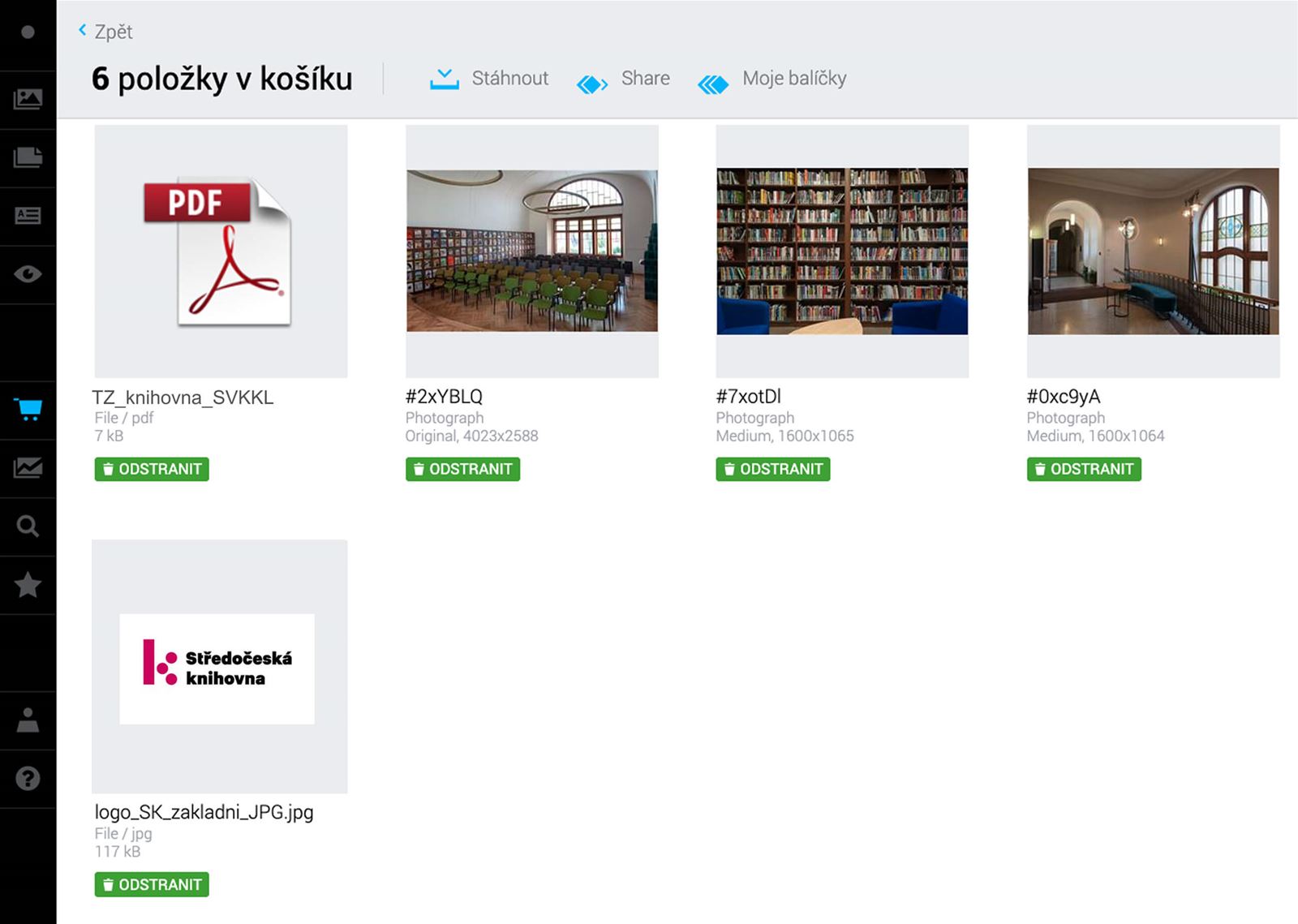
Identity Online allows you to create packages from content (marking any files scattered anywhere on the intranet) and then share them with anyone. This is naturally appreciated mainly by the PR department, which occasionally needs to send the library's logo and photos or, for example, a technical rider for performers at events. However, it is also useful for facility management. Compiling and sending inspection reports for the regional office or providing construction documents to contractors is a matter of a few clicks.

Example: The PR department can easily share necessary documents with journalists

And other, as yet unexplored possibilities are opening up. As a library with regional functions, the Central Bohemian Library occasionally needs to share something with other libraries as well. Thanks to Identity Online, it does not need to create another separate repository for this purpose – it just needs to create a new user group and set up a separate dashboard for them.

In short, Identity Online gives content curators a number of options for setting up an information structure linked to user needs. A clever curator can turn it into a powerful tool not only for communication but also for the more efficient running of the institution.


The key is meaning, order, and structure. We will help you with that

It doesn't matter so much which document management tool you use. The key is a meaningful order, structure, and workflow that fits the needs of your company.
We will help you create a system that makes sense – clearly organized folders, clear naming, access rights that simplify collaboration, and a logic that your people will truly understand and adopt as their own.
If you can get by with a basic data volume, the Identity Online tool is free or at a fraction of the cost of storage systems.


Who else uses Identity Online as an intranet?

  • Prague City Tourism
  • Preciosa Components
  • Yedoo


Write to Blanka.

We'll gladly take a look at your content and help give it meaning and order.


Insights

Follow our social media